Lucid Train as an MCP server.
Point your existing agent at it and get diagrams that a solver laid out rather than a language model.
Running `lucid-train mcp` starts Lucid Train as an stdio MCP server, exposing its diagram tools to any MCP client including Claude Code, Codex and Cursor. The tools arrive as mcp__lucid__emit_diagram and similar. The distinguishing part is that the diagram is not drawn by the language model: your agent supplies a semantic graph of components and edges, and the ELK layout engine computes positions, so the output cannot come back with overlapping boxes.
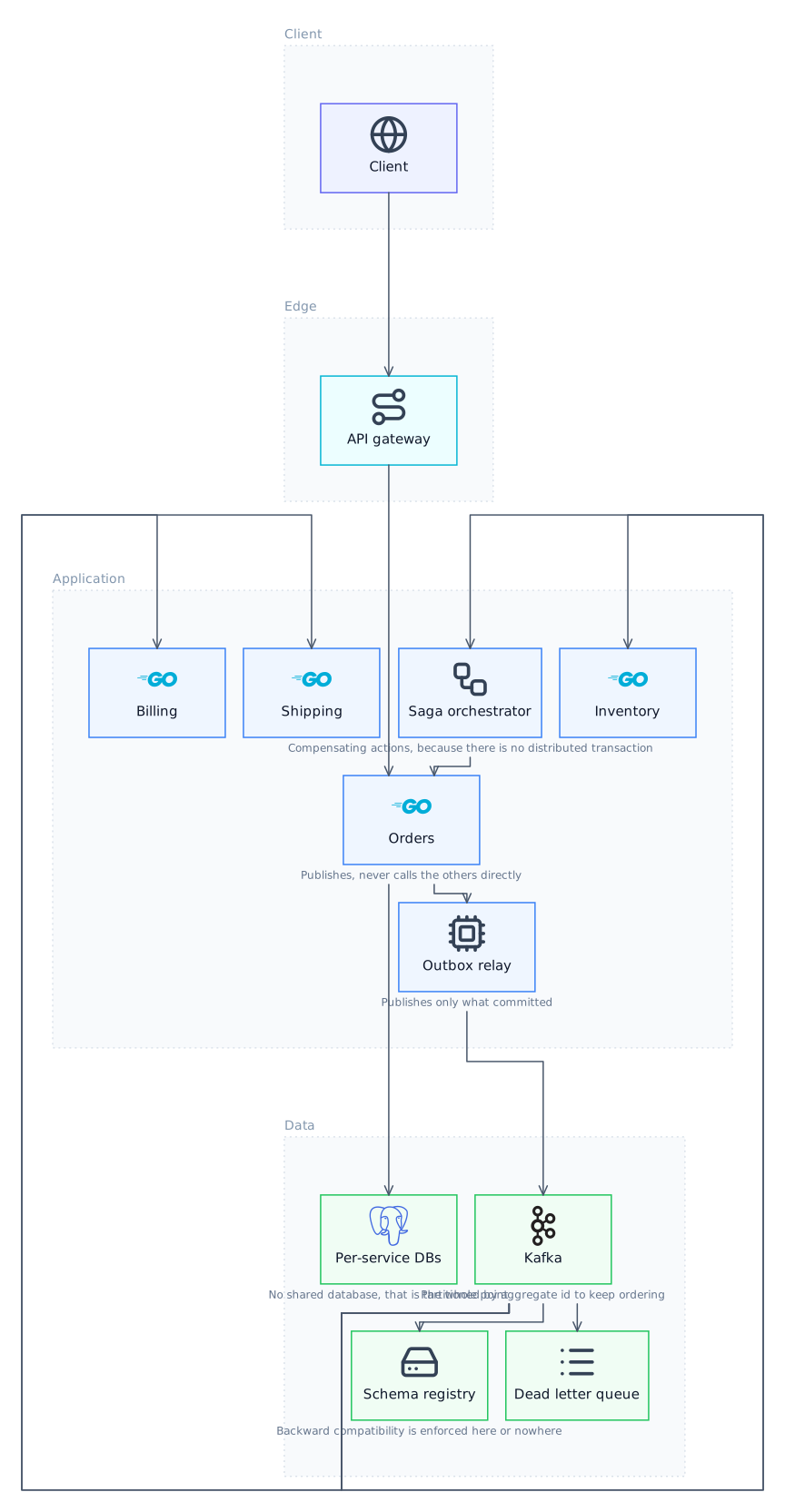
What the server exposes
emit_diagram takes a semantic graph of nodes, edges and tiers with no coordinates and renders it. get_canvas_state and query_elements let the calling agent read back what is actually on the canvas before adding to it, which is what stops a second call from duplicating the first. security_audit runs the dependency audit. Tools surface to the model namespaced as mcp__lucid__*.
Why the layout is the point
Most diagram MCP servers ask the model for shapes and positions, which is asking a language model to do spatial arrangement, and that is where overlapping boxes and arrows crossing through cards come from. Here the model only decides what the components are and how they relate. ELK, a layered constraint solver, decides where everything goes and routes the edges orthogonally. The failure mode is designed out rather than prompted against.
Setup
Add it to your client's MCP configuration as a command, the same way you would add any local server. No account, no API key for the server itself, and it runs against whatever model your client already uses.
Transport
Connections are stdio: the server runs as a local child process with piped stdin and stdout. Remote HTTP and SSE servers appear in the Connectors tab's registry search but cannot be connected, and that is a real limit rather than a configuration step you are missing. A remote server needs a local stdio bridge in front of it.
The other direction also works
Lucid Train is an MCP client too. Its Connectors tab discovers servers from the official MCP Registry or takes a command, args and environment manually, and those servers are then available to the agent in every tab. So you can call into Lucid Train from Claude Code, and call out to other servers from inside Lucid Train.
Tools the server exposes
| Tool | What it does |
|---|---|
| emit_diagram | Renders a semantic graph: nodes, edges, tiers, no coordinates |
| get_canvas_state | Reads back bands, graph and element counts |
| query_elements | Inspects what is currently on the canvas |
| save_diagram_readme | Writes the diagram as SVG plus a Markdown section into the repo |
| security_audit | Runs the dependency audit |
Run it
Questions
Is there an MCP server for architecture diagrams?
Yes. `lucid-train mcp` runs Lucid Train as an stdio MCP server exposing emit_diagram and related tools to any MCP client, including Claude Code, Codex and Cursor.
Does it support remote MCP over HTTP or SSE?
No. stdio only. Remote servers show up in registry search but cannot be connected; they would need a local stdio bridge.
Do I need the desktop app to use the MCP server?
The server ships with the CLI, which is free and open source. The desktop app adds the interactive canvas, version history and the docs panel on top.
How is this different from a draw.io or Excalidraw MCP server?
Those give the model drawing primitives and let it choose positions. This takes a semantic graph and runs a layout solver over it, so overlaps are structurally impossible rather than unlikely.
Related
- Architecture Diagrams in Claude CodeKeep working in Claude Code and get a diagram that a layout solver produced.
- Architecture Diagrams in CursorStay in the editor, get a diagram a solver arranged.
- draw.io MCP Server AlternativeThe difference is who decides where the boxes go.
- Excalidraw MCP Server AlternativeSame format, no lock-in, and a solver does the arranging.
Last updated