Generate an architecture diagram from your codebase.
Point it at a repository and it surveys the code the way a new engineer would, then draws what it found.
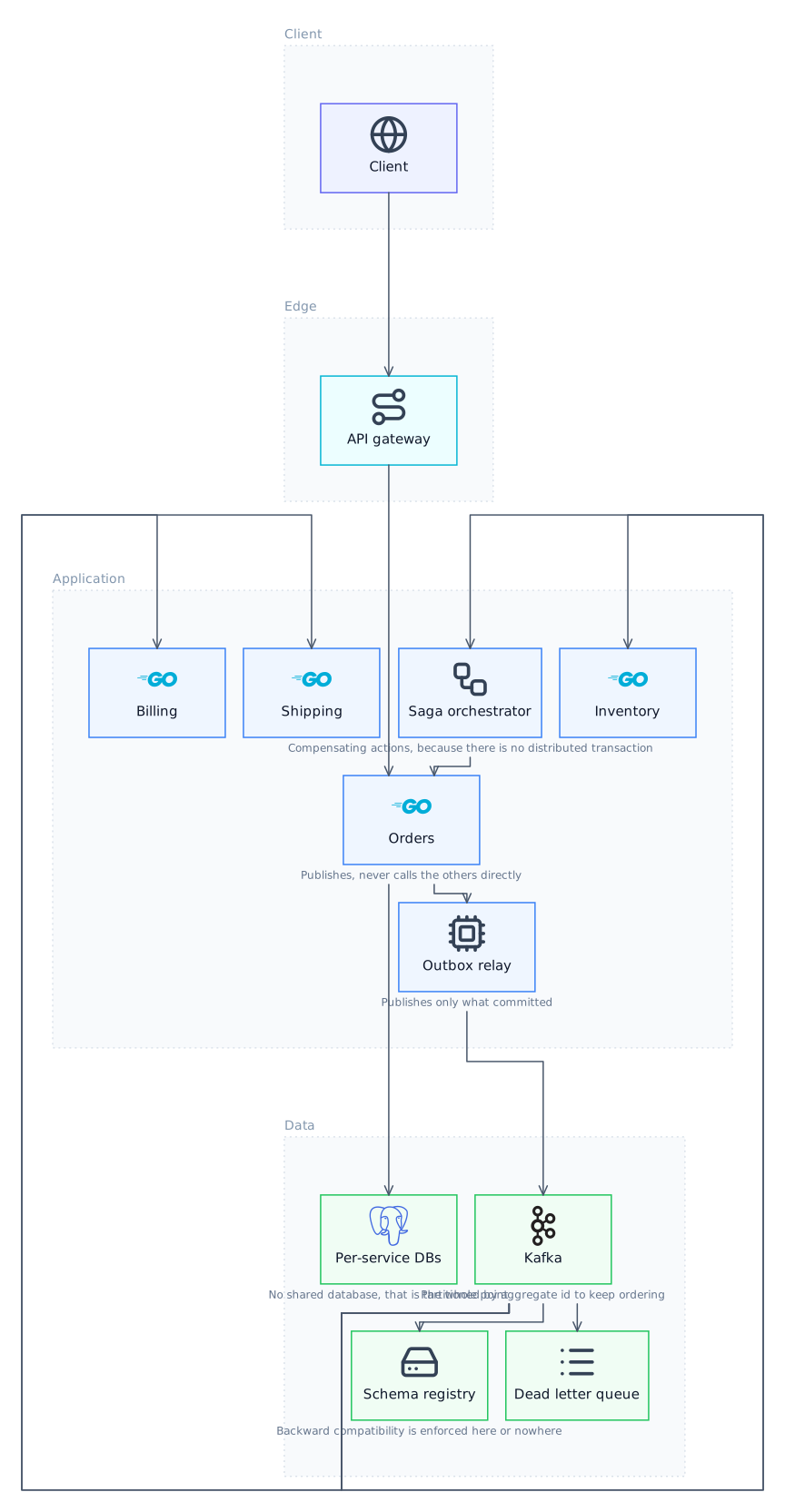
What it reads
It starts with the things that describe the project rather than implement it: the manifest (package.json, go.mod, Cargo.toml, pyproject.toml, pom.xml), the README, and any compose or deployment files. Those establish what the services are and what they depend on before a single source file is opened. It then follows entry points, main functions, route registrations, exported modules, and the import graph outward from them, which is what identifies the boundaries that actually matter rather than every file that happens to exist.
How code becomes components
A component is something with an interface and a reason to exist separately: a service with its own entry point, a package that everything imports and that imports little, a module owning a datastore connection. Edges come from imports, from client instantiations, and from configuration that names one service inside another. Files that are pure utility, tests, or generated get folded into whatever uses them, because a diagram in which every file is a box is a directory listing rather than an architecture.
Why the layout can be trusted
The agent reads the files listed above and emits a semantic graph: components, the tier each belongs to, and the edges between them, with no coordinates anywhere. The ELK layout engine then computes positions and orthogonal edge routing. This is why the output cannot come back with boxes overlapping or arrows crossing through cards, which is the usual failure when a language model is asked to place things on a canvas itself.
It is a draft, and that is the point
The first diagram will be wrong somewhere, usually by including something incidental or missing a relationship expressed through configuration rather than code. Because the agent emits a graph rather than a picture, correcting it is editing the graph and letting the layout re-solve, not dragging boxes. That is a very different loop from a tool where your edit and the generator's next output compete.
Your code stays on your machine
It runs on your machine. With a local Ollama model nothing leaves the laptop at all, and with your own API key the file contents go to the provider you chose and never through us. For a source that is your actual codebase, that distinction is usually the deciding one.
What gets read, and what it becomes
| Source | Becomes |
|---|---|
| Manifest files (package.json, go.mod, Cargo.toml, pyproject.toml) | Service identity, language, external dependencies |
| docker-compose.yml, Kubernetes manifests | Deployment units and the links between them |
| Entry points (main, index, route registration) | The application tier components |
| Import and require graph | Edges between components |
| Database clients and connection strings | Data tier nodes and the services that write to them |
| README and docs | Naming and the notes drawn under each card |
| Tests, fixtures, generated code | Folded into their subject, not drawn |
The prompt
Questions
Does it upload my source code anywhere?
Not with a local model. Running against Ollama the whole thing happens on your machine with no API key and no telemetry. If you configure a hosted model, the file contents it reads go to that provider under your own key and never through our servers.
How large a repository can it handle?
It surveys structure before content, so repository size matters much less than the number of distinct components. Very large monorepos work better when pointed at one service or package at a time, which also produces a more readable diagram.
Which languages does it work with?
It is not parsing with a language-specific analyser, it is reading files and reasoning about them, so it works across languages including polyglot repositories. That is also the caveat: it has no compiler-level certainty about the import graph.
Can I turn the diagram back into code?
Yes, that is what it is for. Implement in code converts the canvas into a markdown specification listing every component, every relationship and the notes, and starts a real coding turn with it, returning reviewable diffs.
Related
- Generate a Diagram from TerraformTerraform already describes your infrastructure precisely. The diagram is a rendering of something you have written down, not a guess.
- Generate a Diagram from Kubernetes ManifestsKubernetes YAML contains the whole topology and presents it as several hundred lines in which none of it is visible.
- Generate a Diagram from Docker ComposeA Compose file is already a complete description of a small system. It is just written in a format that hides the shape.
- Generate a Diagram from a GitHub RepoClone it and point the app at the directory. Private repositories work exactly the same way, because nothing is uploaded to make it work.
Last updated