AI C4 model diagram generator.
One system, drawn at three levels of zoom, so each diagram has one audience instead of trying to serve all of them.
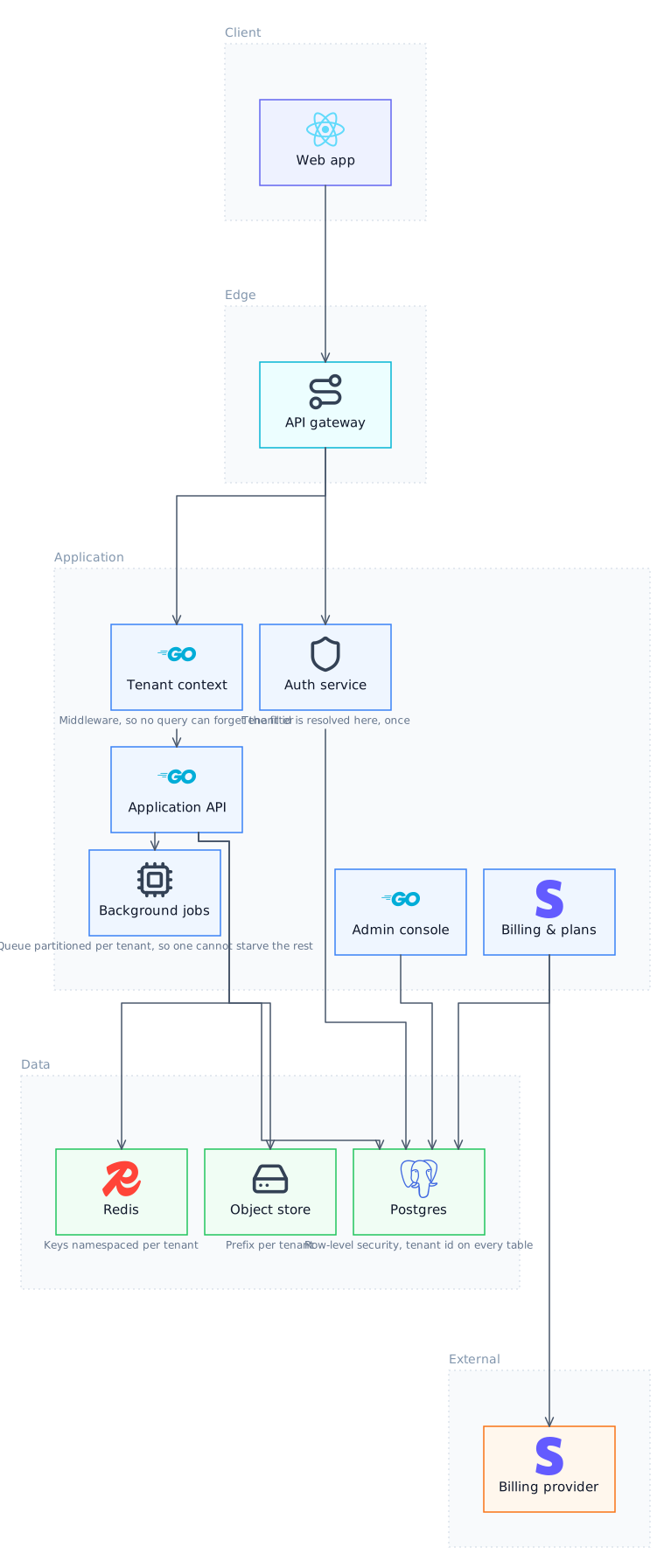
What the C4 model is
A convention for describing software architecture as a hierarchy of diagrams at decreasing zoom: system context, containers, components and, rarely, code. Its actual contribution is not the notation, which is deliberately minimal, but the insistence that each diagram has one level of abstraction and one audience. Most bad architecture diagrams are bad because they mix levels.
How Lucid Train draws one
Describe what you want, or point it at a repository. The agent emits a semantic graph of nodes and edges with no coordinates, and the ELK layout engine computes positions and orthogonal routing. That separation is the reason the output cannot come back with boxes overlapping or arrows crossing through cards, which is the characteristic failure when a language model is asked to place things on a canvas itself. It also means editing is editing the graph: change a component and the layout re-solves rather than drifting out of alignment.
Level by level
Context is the whole system as one box with its users and the systems it talks to, and it is for people who do not work on it. Containers are the deployable and runnable things, applications, services, databases, and this is the level most teams actually need. Components are the major parts inside one container, and are worth drawing only for containers complex enough to justify it. The fourth level, code, is best left to your IDE.
Why the diagrams stay in step
The usual C4 failure is that the container diagram is updated and the context diagram is not, so they describe different systems. Generating each level from the same underlying model of the system, rather than drawing them independently, is what keeps them consistent, and regenerating is cheap enough to do on change.
Local, offline, your models
It runs as a desktop application. Against a local Ollama model the whole thing works offline with no API key and no telemetry, which is the practical difference from every browser-based diagram tool: your architecture never leaves the machine.
The four C4 levels
| Level | Shows | Audience |
|---|---|---|
| 1. Context | The system, its users, and the systems it talks to | Anyone, technical or not |
| 2. Container | Applications, services and data stores | Engineers and architects |
| 3. Component | The major parts inside one container | Engineers on that container |
| 4. Code | Classes and their relationships | Rarely worth drawing; use an IDE |
Try it
Questions
Which C4 level should I start with?
Containers, in almost every case. It is the level that answers the questions engineers actually have, and context is easy to add afterwards once the containers are settled.
How does this compare with Structurizr?
Structurizr is C4-native and model-driven, with a DSL and strong tooling if you commit to it. This is more general: C4 is one thing it draws, alongside data flow, sequence and entity diagrams, and it runs locally with your own models.
Do I need to learn a DSL?
No. You describe the system in prose or point at the code. The graph the agent produces is editable if you want to work with it directly.
Is C4 worth the overhead for a small team?
The idea is, even if the formality is not. Keeping levels separate is good practice at any size; maintaining four diagrams for a system with two services is not.
Related
- AI Flowchart GeneratorFor a process with decisions in it, where the question is what happens next rather than what talks to what.
- AI UML Diagram GeneratorIn practice teams use about four of UML's fourteen diagram types, and this draws those four properly rather than all of them badly.
- AI Cloud Architecture Diagram GeneratorRead your infrastructure as code and draw it, with the real service names and no cloud credentials required.
- AI AWS Architecture Diagram GeneratorFrom the Terraform you already have, with no read-only role to provision and nothing sent anywhere.
Last updated